
Android · TrueNAS 25.04+
TrueNAS administration, native on Android.
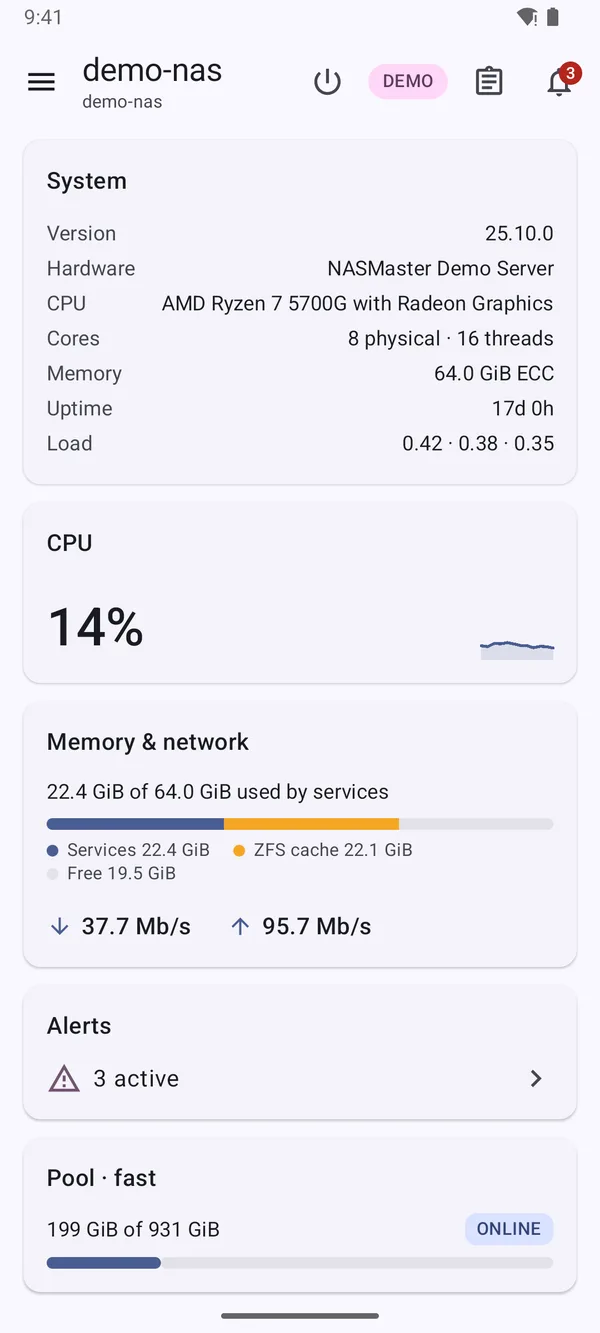
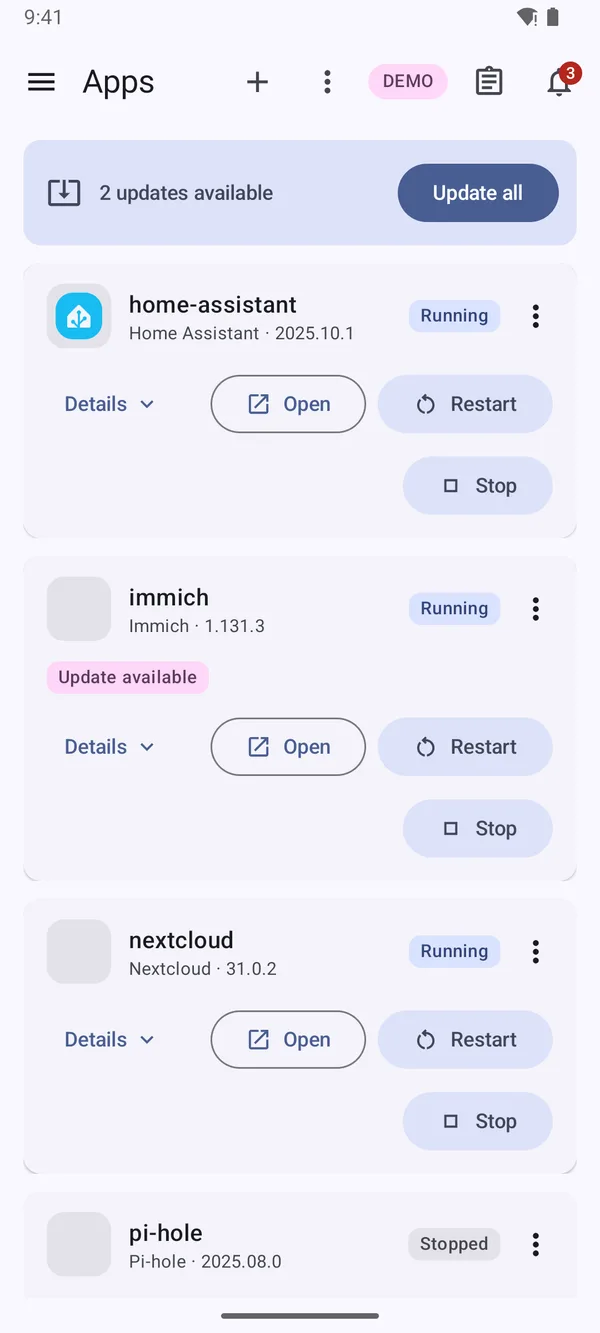
Pools, snapshots, replication, apps, VMs, shares and certificates, over the same WebSocket API the web UI uses. Nothing to install on your server and no relay in between: the phone talks straight to your NAS.
Coverage
The whole admin surface, not a read-only viewer.
If the TrueNAS API exposes it, the app aims to let you do it. These are the areas people reach for most.
-
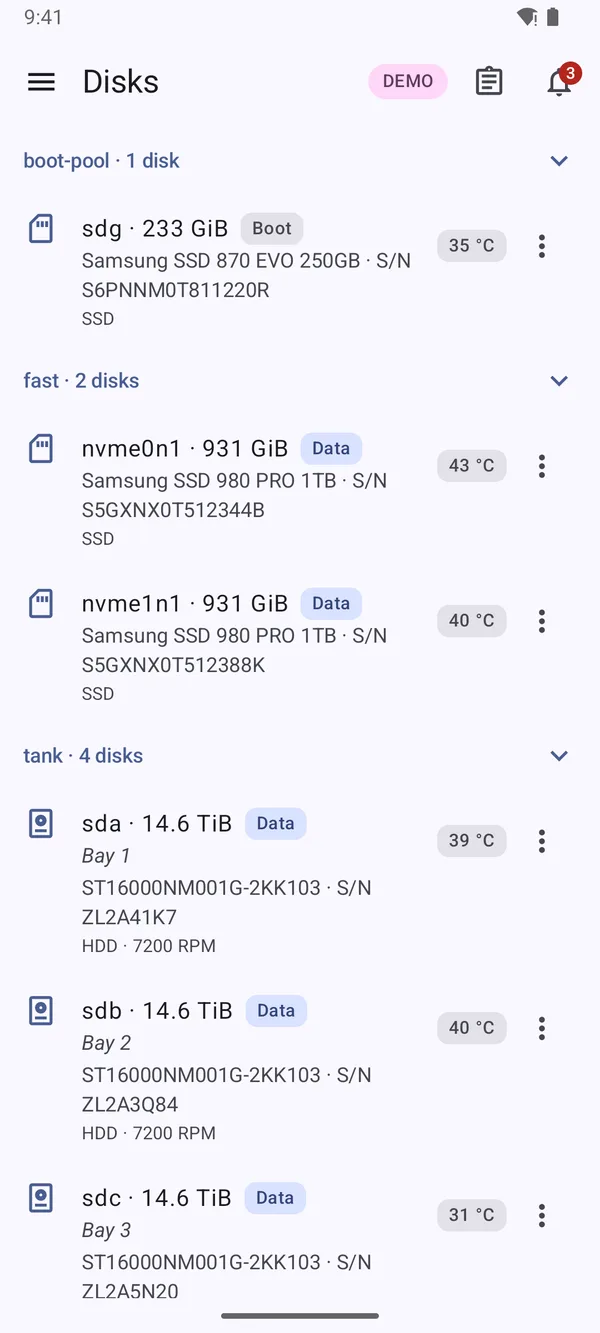
- Create pools from stripe, mirror, RAIDZ1–3 or dRAID vdevs, plus log, cache, spare, metadata and dedup vdevs
- Replace, extend, detach, offline and remove disks; RAIDZ expansions keep running in the background
- Datasets and zvols with advanced options, snapshots, clones, holds and per-user quotas
- Lock and unlock encrypted datasets with passphrases, hex keys or a key file
- Browse a snapshot and save a single file to the phone, no rollback needed
-
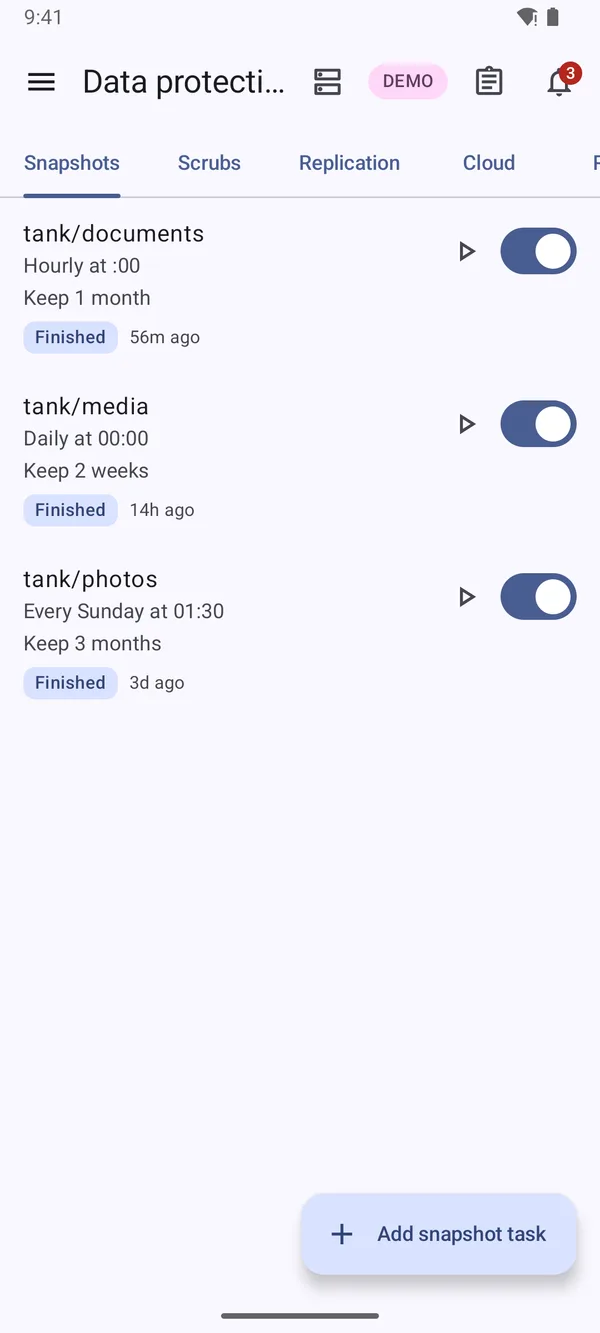
- Periodic snapshot, scrub, replication, cloud sync, rsync and TrueCloud backup tasks
- Create and edit them in full: schedules, retention, naming schemas, exclusions, credentials
- Last-run state, enable switch and run-now on every task
- Restore from a cloud sync, replication or TrueCloud task into a local directory or dataset
- VMware-aware snapshots for datasets that back a datastore
-
- Start, stop, restart and update apps, or update everything with a pending update at once
- Install from the catalog: the form is built from each version’s own questions
- Custom apps from a Docker Compose file, edited as YAML
- Live, searchable container logs with pause and timestamps
- Virtual machines and Linux containers: create, power, edit devices, share folders
-
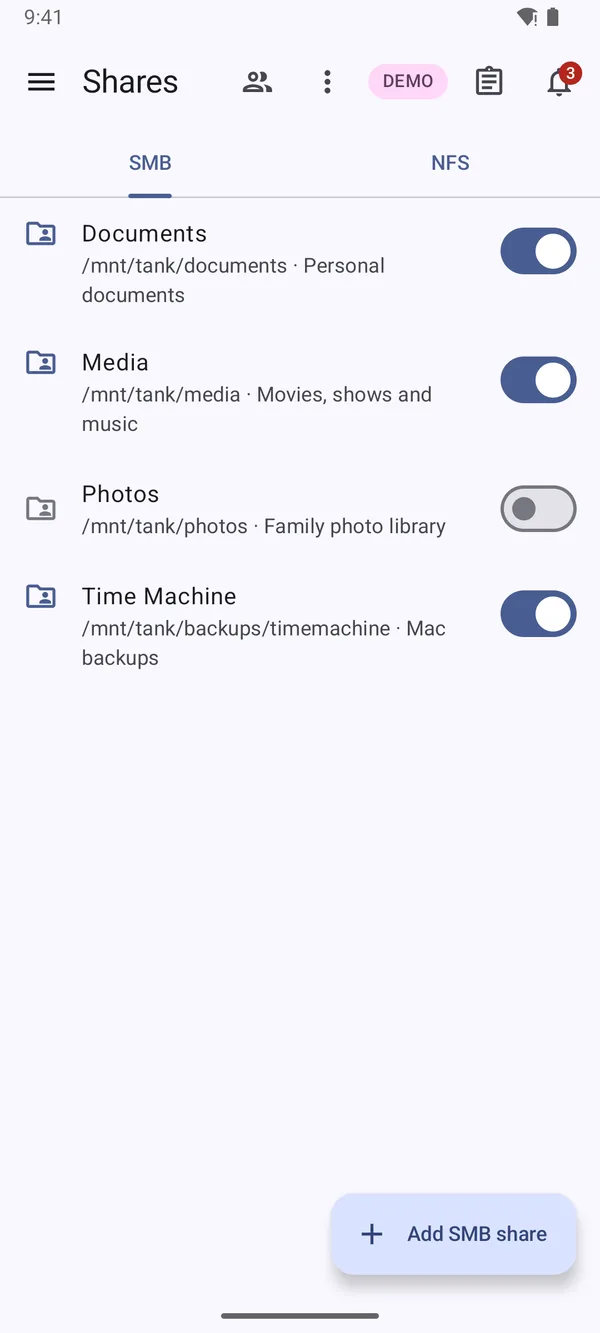
- Create, edit, enable and delete SMB and NFS shares with dataset path suggestions
- Per-share permissions for users, groups, everyone or a SID
- iSCSI targets, extents, portals, initiator groups and CHAP; NVMe-oF subsystems and namespaces
- See who is connected now: SMB, NFSv3 and NFSv4 sessions
-
- Dashboard with live CPU, memory, ZFS cache and network throughput
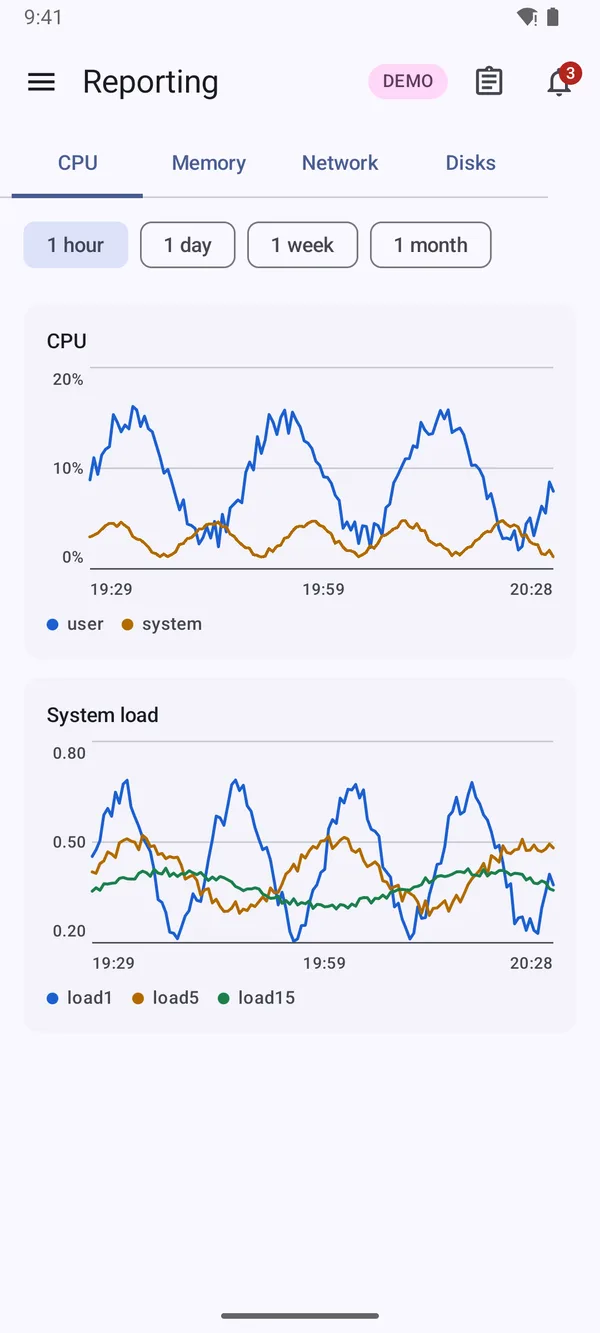
- Reporting for CPU, memory, network and disks from one hour to one month
- Alert bell in every screen, with notification checks every 5 to 60 minutes
- A jobs indicator with live progress, recent results and abort
-
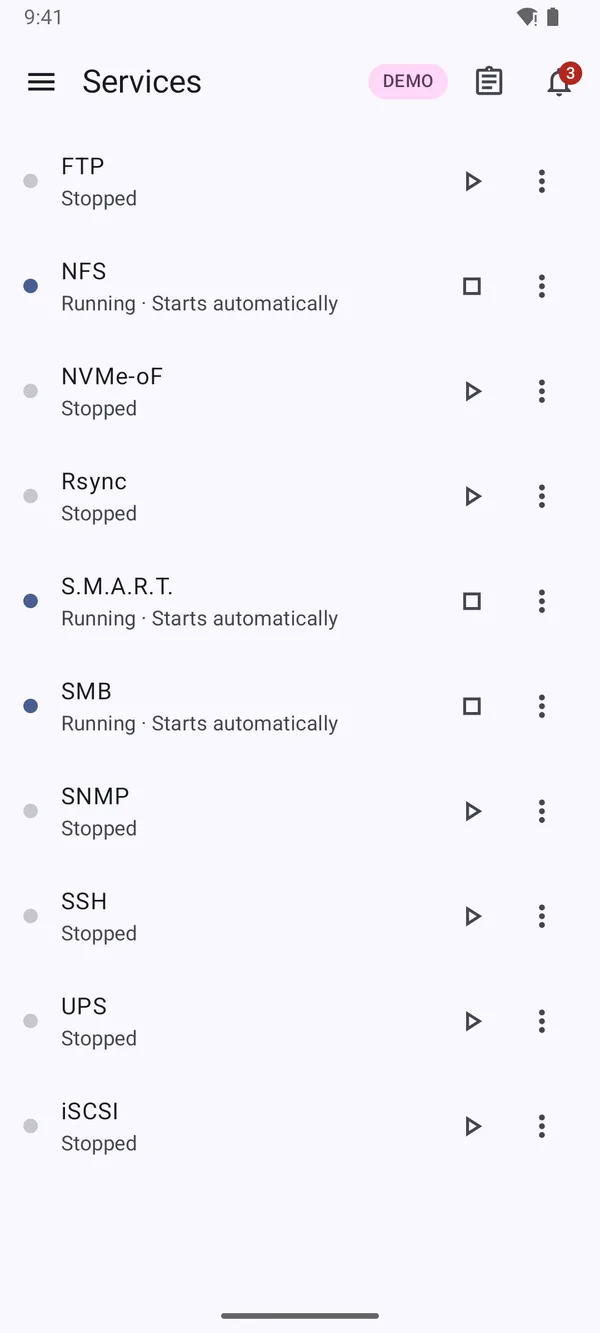
- Services, network (bridges, bonds, VLANs), updates, boot environments and configuration backups
- Certificates with ACME, directory services, KMIP, IPMI, privileges and the audit log
- Users, groups, API keys and two-factor authentication
- Cron jobs, tunables, syslog, email and alert services
Safety
A phone should not make it easier to break your NAS.
Admin tools from a pocket are only a good idea if the dangerous parts are handled carefully. Here is how NASMaster does it.
Credentials
- Your password is never saved.
- With “stay signed in” on, over HTTPS, the app creates an API key for this device and keeps it encrypted with an Android Keystore key.
- Signing out deletes the key.
- It is removed from the server, not just forgotten on the phone.
- Self-signed certificates are pinned.
- The app shows the SHA-256 fingerprint and pins it once you trust it.
Your server
- Network changes are tested first.
- Interface edits are staged, tested, and reverted automatically unless you keep them within two minutes.
- Web interface changes are on trial.
- The old settings return after two minutes unless you keep the new ones from a connection that still works.
- Destructive actions show what depends on them.
- Exporting or destroying a pool lists the shares, services and processes using it. Resetting configuration needs a typed confirmation.
Navigation
Grouped like the server, not like a settings dump.
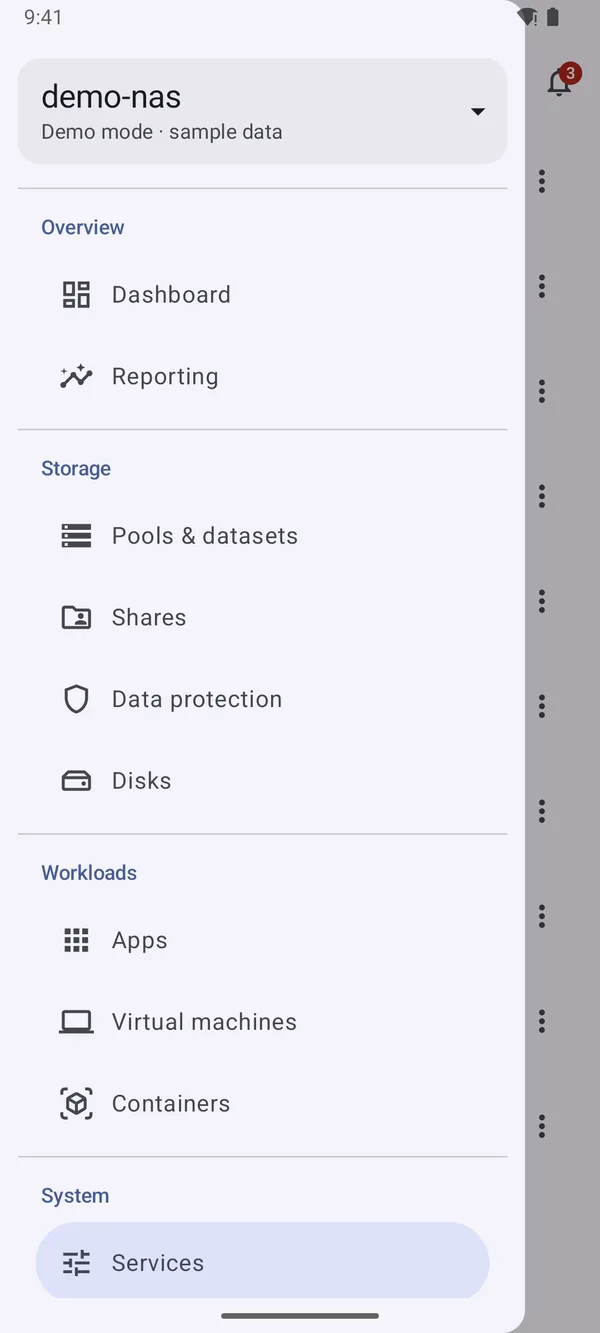
One top bar on every screen carries jobs and alerts. The side menu groups Overview, Storage, Workloads and System, slides in on phones and stays open on wide screens.
Under the hood
Built to stay light on the connection and the battery.
- Transport
- One multiplexed WebSocket per session, speaking TrueNAS JSON-RPC 2.0 over wss://host/api/current
- Updates
- Lists subscribe with core.subscribe and apply collection_update diffs instead of re-querying
- Idle behaviour
- A subscription stops 5 seconds after its screen leaves view; the socket closes 30 seconds after the app goes to the background
- Rendering
- Realtime values are read only inside the cards that show them, so a tick redraws just those cards
- Size
- About 2 MB release APK, minified and resource-shrunk with R8, with profile installation
- Servers
- Save a connection per server; local, VPN and remote addresses switch as your network changes
- Theme
- Material 3 with Material You dynamic colour, and a side menu that stays open on wide screens such as foldables
Get it
Point it at your server and sign in.
Enter your TrueNAS address, sign in with an account (plus a one-time code if you use two-factor authentication) or paste an API key.
- ServerTrueNAS 25.04 (Fangtooth) or newer
- PhoneAndroid 8.0 or newer
- NetworkReachable over HTTPS or plain HTTP, LAN, VPN or remote